
StyleMakar Guide
StyleMakar rewrites source text into a defined writing style by simulating the way a careful human editor works: revise a sentence or paragraph, compare it against the target style, check that the meaning still holds, then iterate until the output fits. The app uses a local-first workflow: the browser development app calls the local Express API, the Tauri desktop app can call an OpenAI-compatible provider through native commands, and the CLI can call the rewrite pipeline directly for scriptable rewrites.
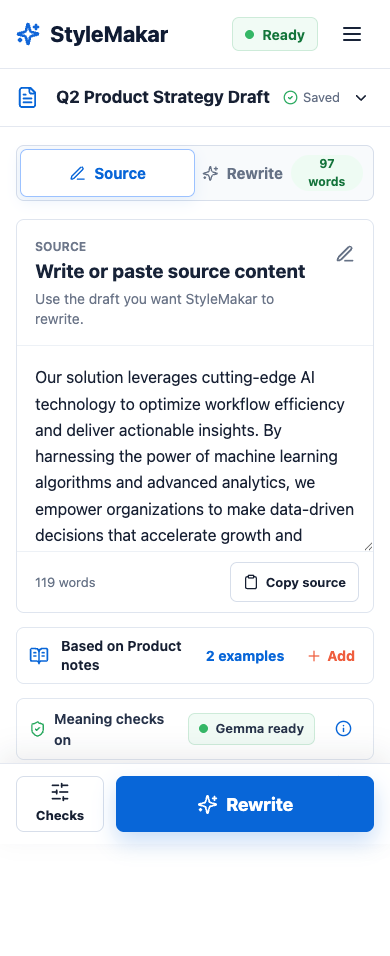
Mental Model
- Source text is the draft you want to rewrite.
- Style profile describes the target voice, rules, and anti-rules.
- Reference examples provide concrete samples of the target style.
- Provider settings point to an OpenAI-compatible endpoint and model.
- Meaning checks help prevent the rewrite from dropping or adding important claims.
- Rewrite iterations retry weak style matches while preserving source meaning.
The default setup targets LM Studio at http://localhost:1234/v1 and a Gemma model. The provider contract is intentionally OpenAI-compatible, so LM Studio is the first practical path rather than the only intended provider.
The Name
StyleMakar combines style with makar, a Scots word for a maker, author, or poet. The name points to the app's purpose: helping make language in a chosen style without losing the source text's meaning.
Recommended First Path
- Start LM Studio and load a compatible model.
- Run the web app with
pnpm run dev. - Confirm the model status in the lower-left provider pill.
- Rewrite the seeded draft or paste your own text.
- Expand Advanced checks when you need model, endpoint, or debug detail.
What To Read Next
- Getting Started for local setup.
- CLI for scriptable rewrites without the web server.
- Provider Setup for LM Studio and OpenAI-compatible endpoints.
- Tutorials for rewrite, API, eval, and screenshot workflows.
- Desktop App for Tauri development and packaging.
- Reference for commands, endpoints, and request shapes.